Roadmap
This view is being rolled out gradually. If you don't see it yet, it hasn't been enabled for your workspace.
The Roadmap is the goal-oriented roadmap (Goal-Oriented Roadmap, GO Product Roadmap) by Roman Pichler. It tells your plan to stakeholders: not as a list of dates and features, but as a sequence of goals. Every Release is a goal, and the Stories behind it are attached automatically because you assigned them to the Release in the Storyboard. There is no separate data to maintain: Roadmap and Storyboard show the same Releases.
You reach it in the Scope phase (keys 1, then 2).
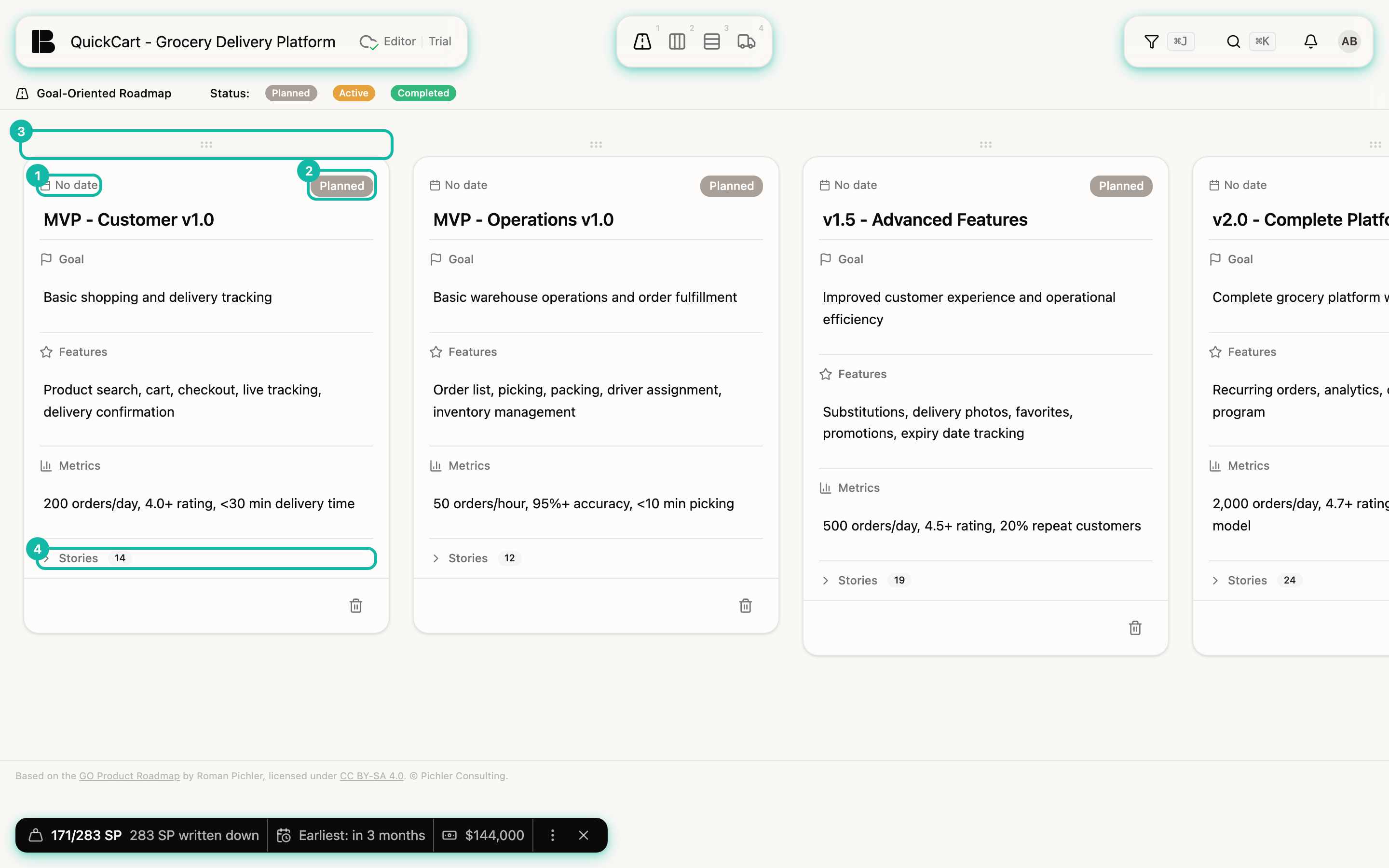
One card per Release
The cards stand side by side, from left to right in the order of the Releases (the rule is in Releases). With many Releases you scroll horizontally. From top to bottom a card consists of:
- Date and Status: The date is a menu with the same options as in the Release panel, rough dates like a quarter are possible too. The status is Planned, Active or Completed. Active Releases have an amber border, completed ones a green border. Several Releases may be active at the same time.
- Title: the name of the Release.
- Goal: the outcome you want to achieve with the Release.
- Features: the key capabilities for it, roughly and long before the Stories exist.
- Metrics: how you measure success, also as a checklist.
- Stories: the number of Stories in the Release. A click opens the list, a click on an entry opens the Story.
A card grows with the undertaking: at first there is only a goal with a few features, later Stories are added, and in the end you tick off the metrics and complete the Release.
Edit cards
You change all texts directly on the card: click the title, Goal, Features or Metrics, write, and click outside. The change is saved immediately. You choose date and status in the menu, and you tick checkboxes in the Metrics directly.
For a Completed Release, Betterplan asks once before you change a text: Release is completed. With Make changes you continue, with Cancel everything stays as it is. The Release is only softly locked.
At the end of the row, New release/goal creates another Release. The trash icon at the bottom of the card deletes the Release after a confirmation. The Stories stay and become unplanned Stories.
Change the order
Drag a card by the handle above it to the left or right. This changes the order of Releases without a date; in the Storyboard the order of the rows changes accordingly. Betterplan always sorts Releases with a concrete date by that date.
For stakeholders
The Roadmap answers the questions stakeholders really have: Which goal comes when, how do we measure it, and which Stories belong to it? Because it shows the same data as the Storyboard, it is never out of date. More on how they work together in Prioritizing.
At the bottom, the view carries a note that it is based on the GO Product Roadmap by Roman Pichler (license CC BY-SA 4.0).