Orbit
This view is being rolled out gradually. If you don't see it yet, it hasn't been enabled for your workspace.
Orbit is a second view on the same Storyboard, built for telling it. The Storyboard is a grid you work in. Orbit is a picture you talk over: you zoom from the product vision through the Initiatives and their Epics down to the Stories of a single Epic. Orbit stores no data of its own, it shows the structure the Storyboard holds. You reach it in the Scope phase (keys 1, then 3).
Level 0: vision and Initiatives
At the start the Product vision is in the middle, with the Initiatives around it as equal circles. Each circle names its number of Epics and its story points. The position of a circle means nothing, the circle only says that the Initiatives are peers.
On the right, the Info sidebar explains the element in the middle: for the vision, the project with the story points per Initiative and the Completion by story points.
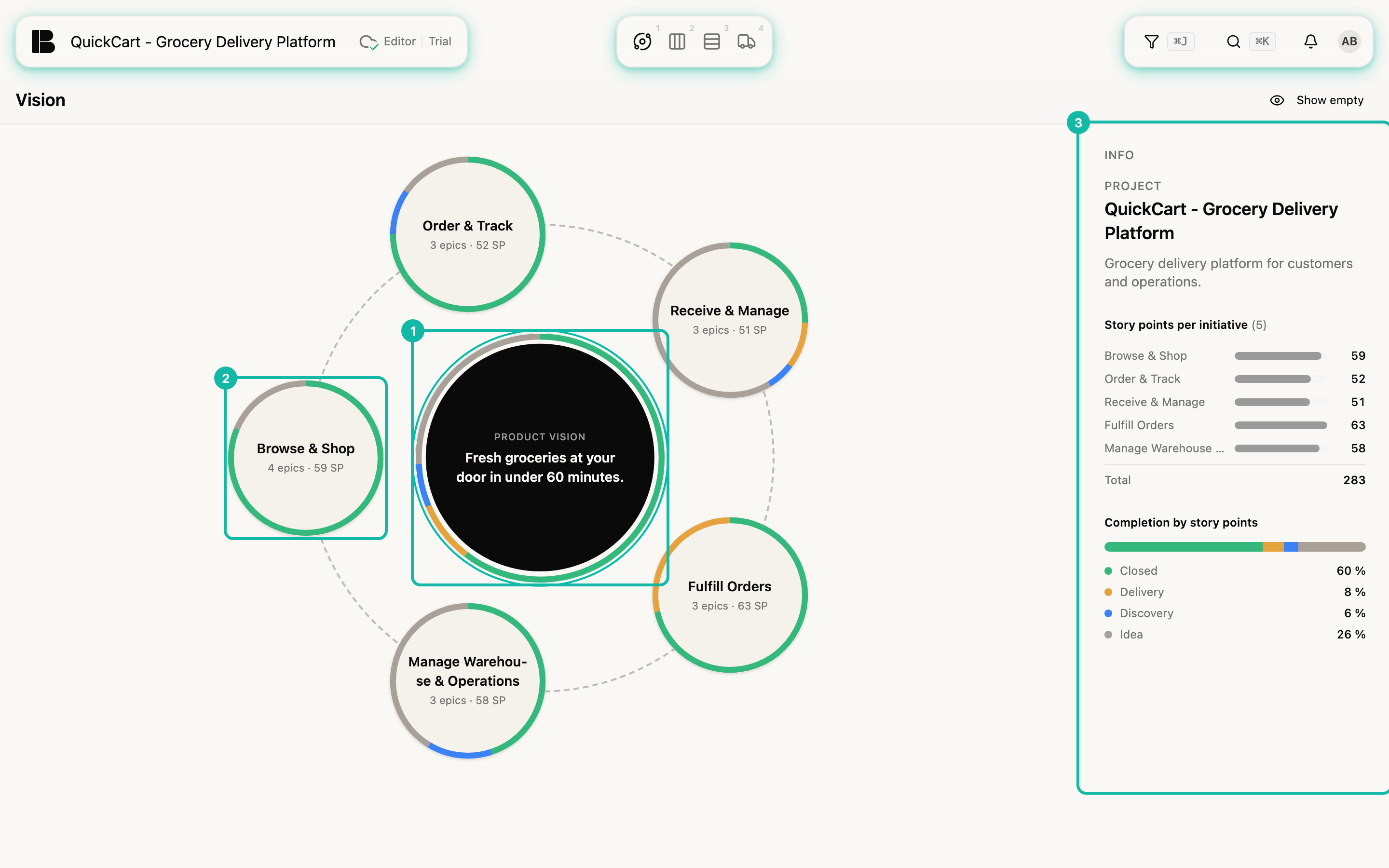
The coloured line at the edge of each circle shows how far along it is. It is divided into four sections by story points, clockwise from twelve o'clock:
| Colour | Meaning |
|---|---|
| Green | Closed |
| Yellow | Delivery |
| Blue | Discovery |
| Grey | Idea |
You read the exact percentages per section in the sidebar. Canceled Stories do not count. Stories without an estimate of their own count with the median of the project's estimates, as in all other sums (see Automatic estimates).
Zoom in
The rule applies everywhere: the first click selects, the second does something.
- On a circle, the second click zooms in.
- In the middle, a click zooms back out.
- The breadcrumb above the picture (for example Vision) also takes you back.
Click the surface of the circle, not its title: a click on the title opens the ticket in the detail view.
Level 1: the Epics of an Initiative
The Initiative is in the middle, the Epics form a path around it. Arrows show the order of the steps, Start and Goal label the two ends. The order is that of the Storyboard from left to right, Orbit does not invent its own.
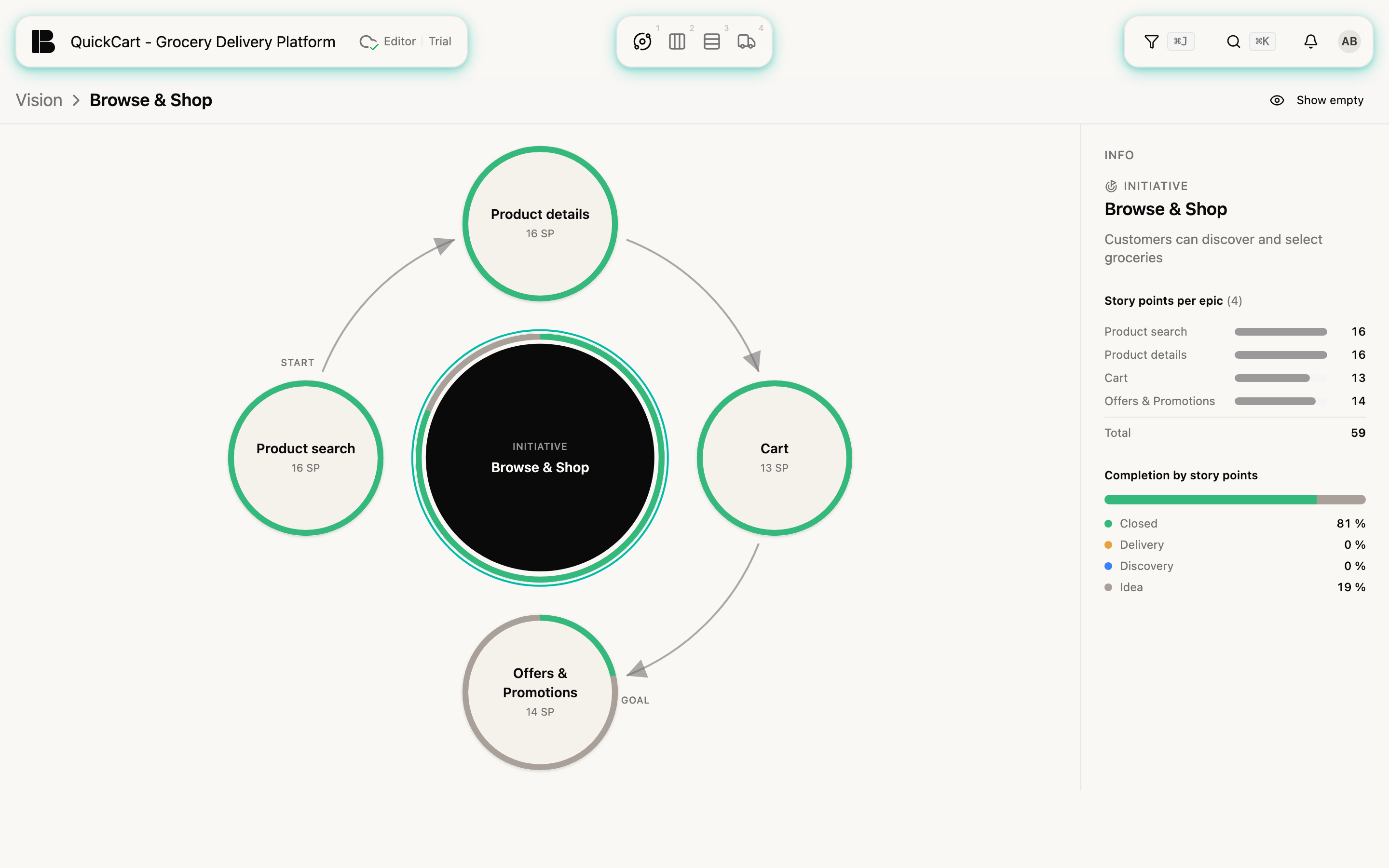
Level 2: the Stories of an Epic
The Epic is in the middle, the Stories lie as dots on rings. Every ring is a Release, the earliest inside, the latest outside. A dashed outer ring (Unplanned) carries Stories without a Release. The colour of a dot shows the Story's progress, all dots are the same size: size means nothing in Orbit. You read how many points a Story has in the sidebar.
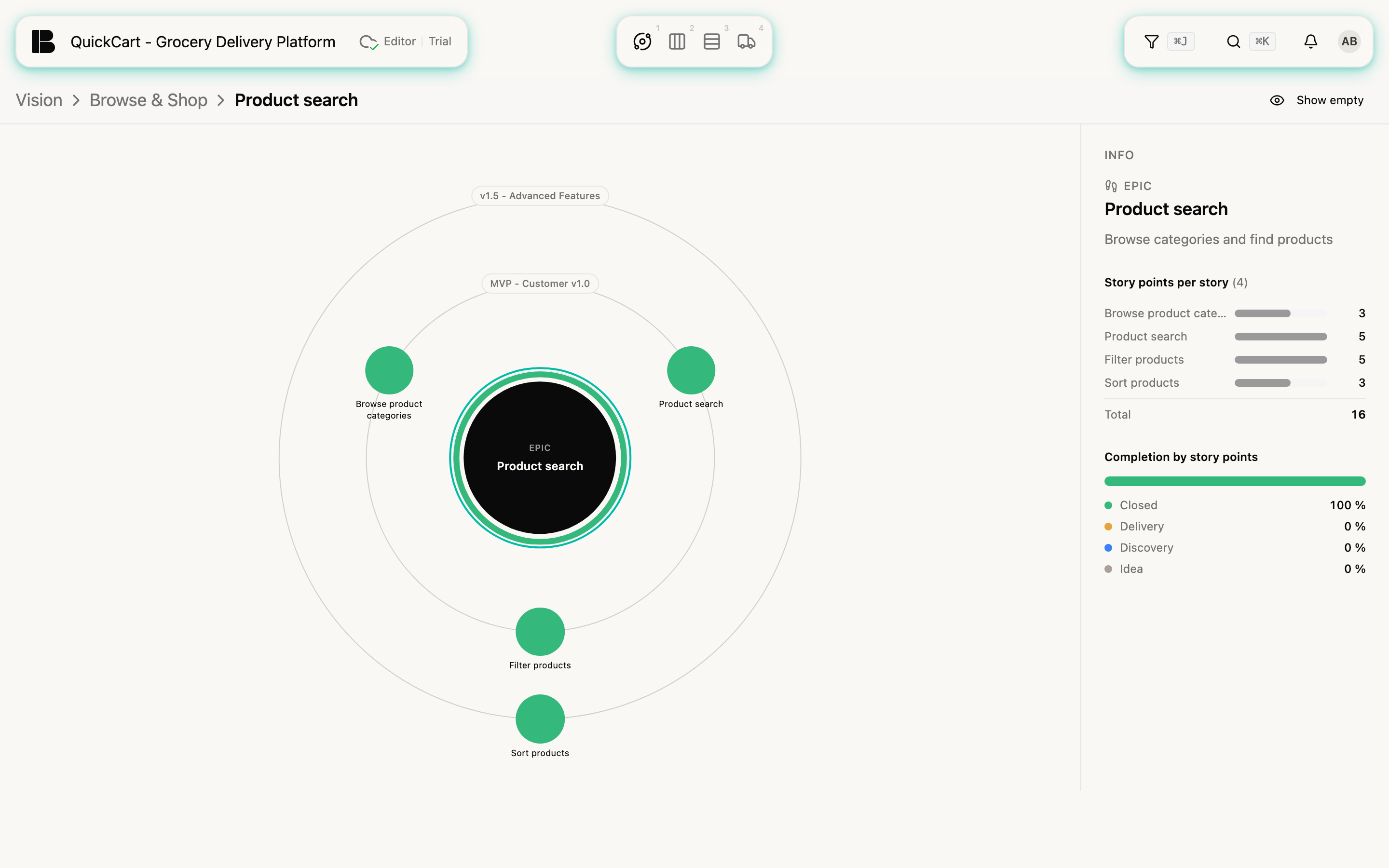
Where an Epic has Stories in several Buckets, sectors additionally divide the rings by Bucket. Orbit hides rings and elements that hold nothing. Show empty brings the complete picture back, Hide empty returns to the compact view.
Filter and selection
The filter works in Orbit too: numbers, rings and shares count only what the filter leaves over. The selection belongs to the project and is kept when you switch to other views.
Orbit has no drag and drop: re-hanging, moving and reordering happen in the Storyboard or in the detail view. Workitems do not appear, the lowest level is the Stories. On screens narrower than a tablet, Orbit shows a note with a link Open the Story Map instead, because the circle is only readable from that width.