Basic fields of a ticket
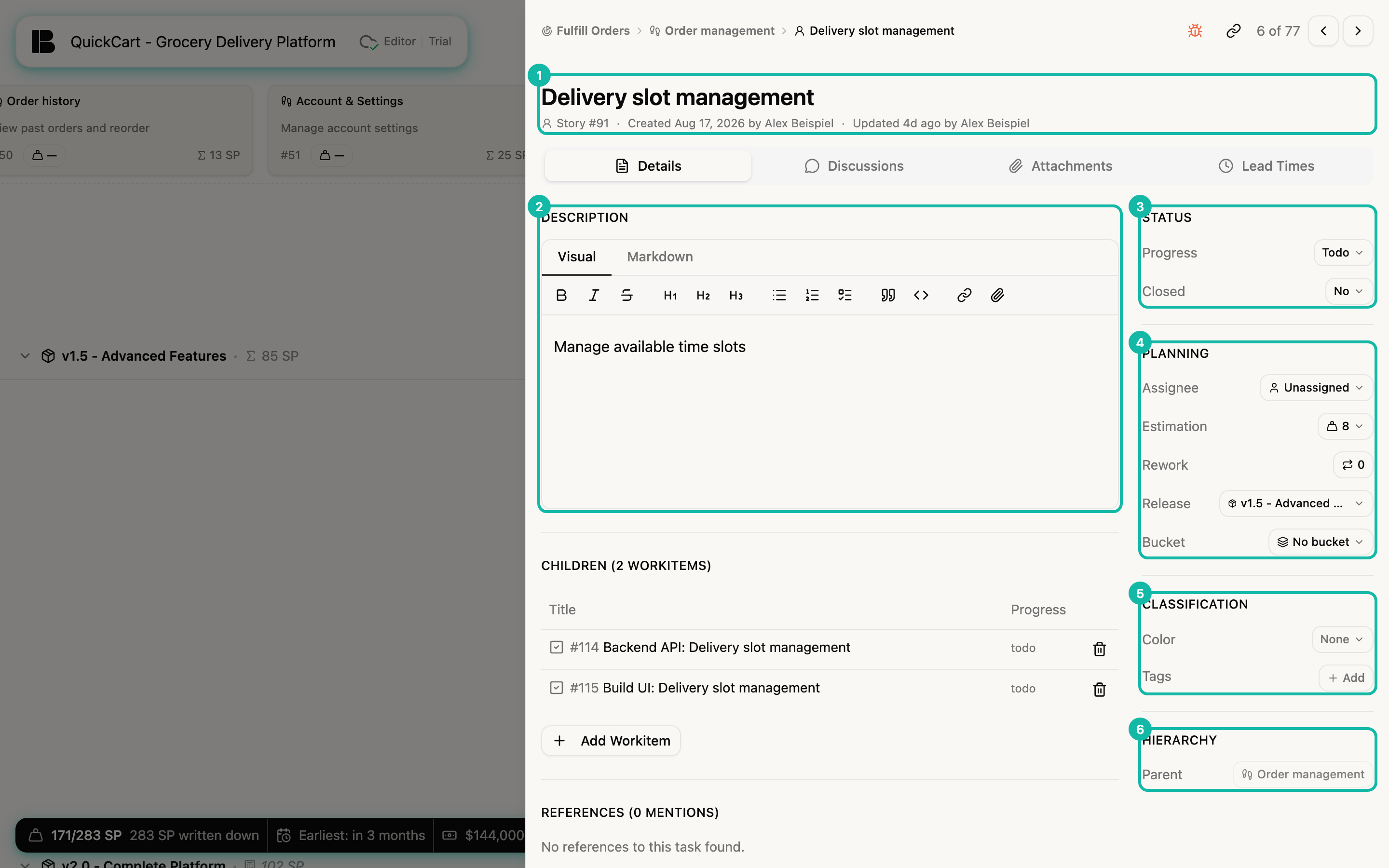
The basic fields describe what the ticket is and where it stands in the plan. You edit them in the detail view: title and description on the left, all other fields in the sidebar.
Title
Click the title and type. A good title names the value or function in a few words, such as Delivery slot management. It is saved when you leave the field.
Description
Click the Description to open the editor. It has two tabs:
- Visual: You write as in a word processor. The toolbar offers bold, italic, strikethrough, headings (H1 to H3), bullet list, numbered list, task list, quote, code, link and inserting an attachment.
- Markdown: You write the text as Markdown.
With # you point to another ticket (see References). You can tick task lists in the description directly in the rendered view. The change is saved as soon as you leave the editor.
Keep the description lean: as long as a ticket is in Idea, one sentence is enough. Details come in Draft, when you really refine the ticket (see States).
Status group
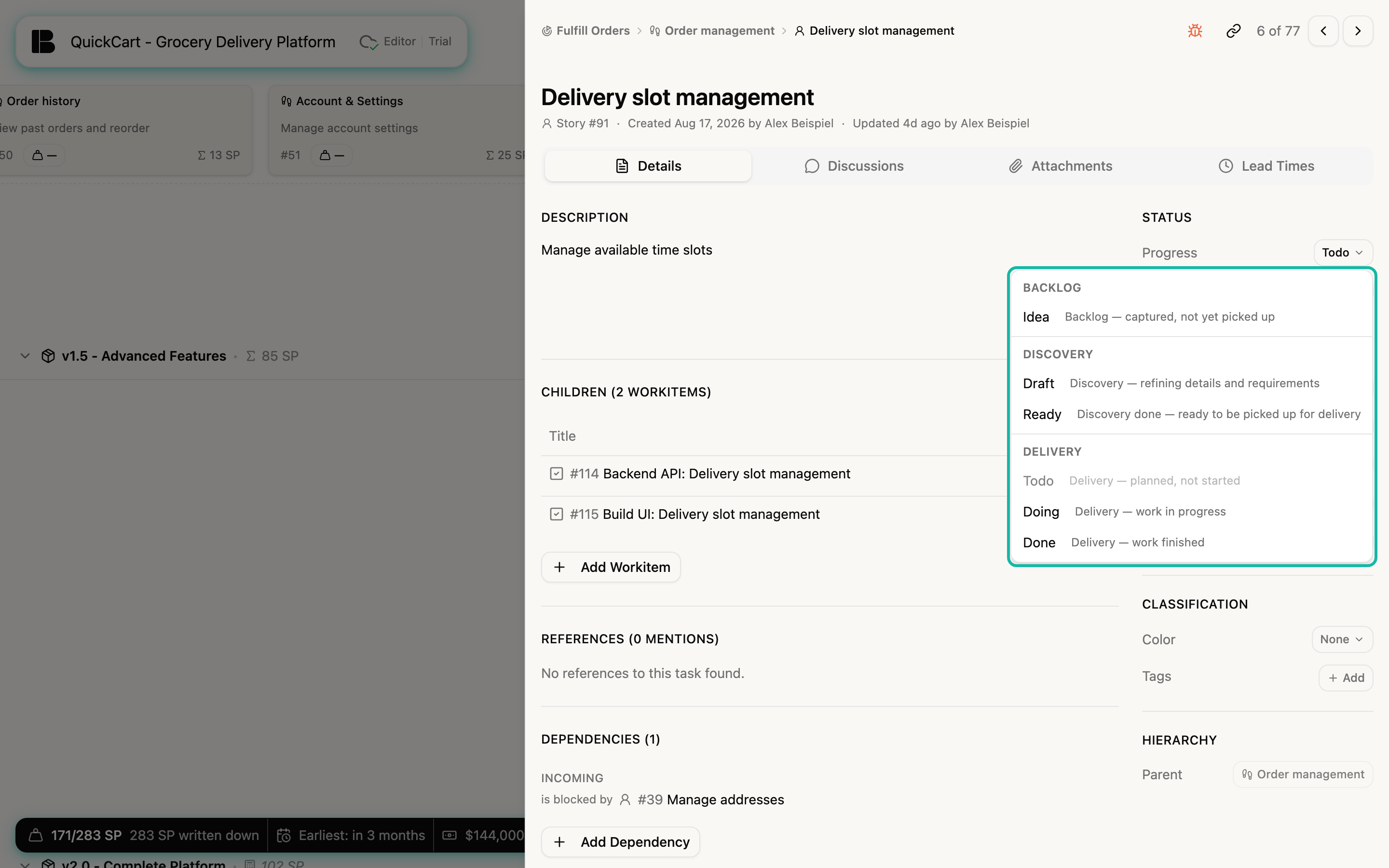
- Progress: The state of the ticket. The menu groups the states under Backlog, Discovery and Delivery and explains each in one sentence. The choices depend on the type: a workitem only knows Todo, Doing and Done.
- Closed: No means open, Yes means closed. This is independent of progress, see Open and closed.
Planning group
- Assignee: Who works on the ticket. The menu offers Unassigned, Assign to me and the members of the team. Epics and initiatives have no assignee.
- Estimation: Story points on a fixed scale: 0, 1, 2, 3, 5, 8, 13, 20, 40, 60 and 100 (or No estimation). If the story has no estimate yet, Betterplan shows the median of the existing estimates with the ≈ sign. The Story counts with this provisional value until you estimate it yourself, see Automatic estimates. More in Estimation basics. Workitems have no estimation.
- Rework: The total points spent on rework for the story. The field is display only.
- Release: The release the story is assigned to, or No release.
- Bucket: The bucket the story sits in on the Backlog, or No bucket.
Betterplan shows Estimation, Rework and Release for stories only. Dev and Project stories have Assignee and Bucket, workitems only the Assignee.
Classification group
- Color: A card color (shown in Kanban, Storyboard and Iteration Board), so you can group tickets at a glance. None removes it again.
- Tags: Your own labels. Via Add you pick existing tags or create a new one. Tags appear as markers on the card.
- Bug: For workitems there is the Bug switch here, see Bugs.
Hierarchy group
Here you place the ticket in the hierarchy. The page Hierarchy describes it.
Type and iteration
The type is shown as text under the title (for example Story #91). You do not pick it from a list, you change it through the hierarchy, see Move and convert a ticket. Assignment to an iteration does not exist in the detail view. You plan it on the Iteration Board.