Add children and move tickets
Betterplan arranges tickets in a fixed hierarchy: Initiative, below it Epics, below them Stories, and below a story the Workitems (see Building blocks). In the detail view you maintain these relationships without leaving the card.
Add and manage children
The Children section lists all direct children of the ticket. The kind of child you can add follows from the type:
| Ticket | Child |
|---|---|
| Initiative | Epic |
| Epic | Story |
| Story, Dev, Project | Workitem |
Workitems have no children themselves, so the section is missing there.
This is how you add a workitem to the story Delivery slot management:
- Open the story and find the Children section.
- Click Add Workitem. An input field appears below.
- Type a title and confirm with Enter or with Add. Cancel or Esc in the field discards the input.
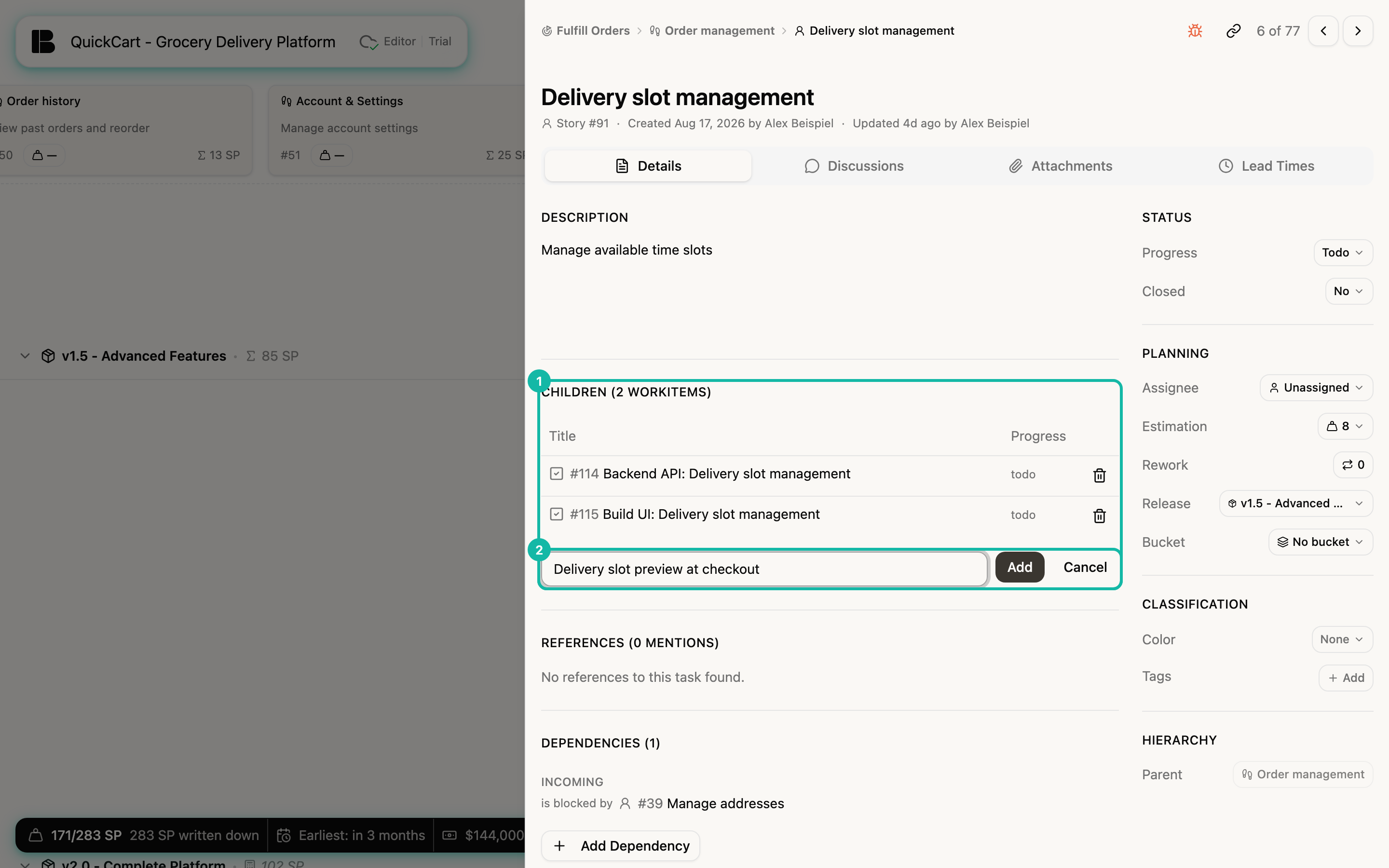
For each child the table shows type icon, number, title and Progress; for epics and stories as children the estimate (Est.) is added. Clicking the title opens the child in the detail view. Markers such as Bug or tags appear under the title.
The trash icon at the end of a row deletes a child. Betterplan asks first, because the child is permanently deleted together with all of its children.
Workitems often only appear when a story goes into delivery. Building blocks describes how to break a story down sensibly.
Move and convert a ticket
In the sidebar, group Hierarchy, you find the Parent field.
- Move an initiative, epic or story: Click the field, search by title or number in the popover and pick a ticket from the list. The list is divided into Initiatives and Epics. If you choose an initiative, the ticket becomes an epic; if you choose an epic, it becomes a story. The type follows the new parent.
- Locked when it has children: If the ticket has children itself, the field is dimmed. The hint reads: Has children — remove them to change parent. Move or delete the children first.
- Convert a workitem: For workitems, Parent only displays the story. There is also Convert to with the Convert menu: User Story (sibling under the same epic), Dev Story or Project Story. This turns a workitem that has grown too big into a story of its own.
Hanging a ticket under another one may change its type. After moving, check the label under the title, for example Story #39.
Dev and Project stories have no Parent field: they sit on the same level as stories and hang under no epic.