Subscription, trial and upgrade
This view is being rolled out gradually. If you don't see it yet, it hasn't been enabled for your workspace. In that case Subscription is missing from the sidebar and from the profile menu.
Every organization has its own subscription. The page Organization → Subscription shows where you stand and is the entry point for the upgrade after the trial.
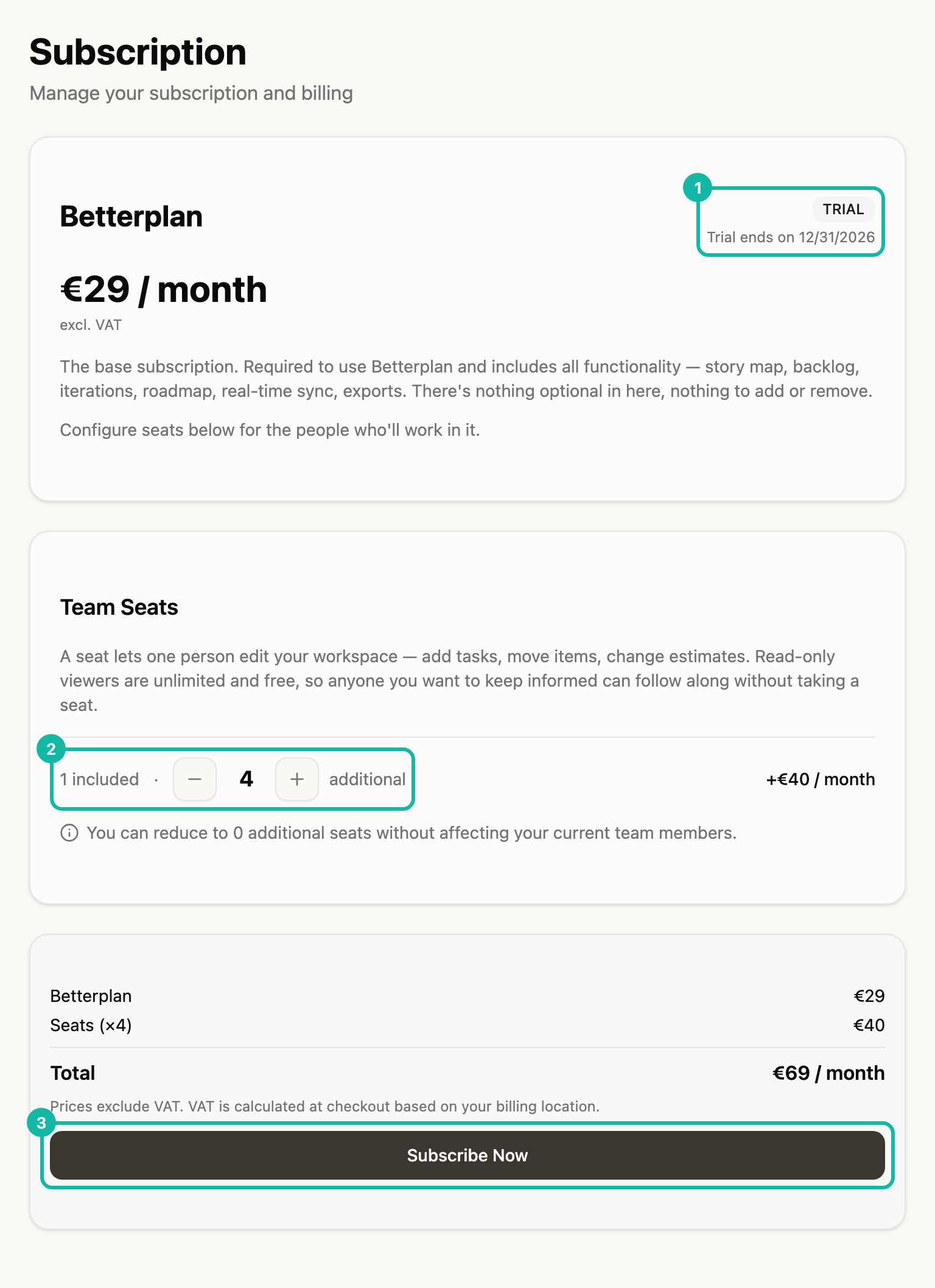
The trial
New organizations start with a trial with the full feature set and no payment method. It lasts 30 days by default; an invite code can carry a different length. The TRIAL badge (1) names the end date.
If the trial ends without a subscription, everything stays readable: you still see your projects and Insights and can export them, but can no longer edit. With a subscription, editing works again right away.
Price and seats
There is one plan. Betterplan costs €29 per month excl. VAT and includes all features, unlimited projects and teams, and one seat. Each additional seat costs €10 per month. People who only read along need no seat.
- Use the minus and plus buttons (2) to set how many seats are additional. The surcharge appears on the right.
- The summary calculates the Total per month: one seat costs €29, two €39, five €69.
- If you go below the number of members with a seat, Betterplan warns how many members would lose write access.
Upgrade and management
Only the organization owner changes the subscription. Everyone else sees the status with the note "Subscription is read-only"; counter and button are disabled.
- During the trial or after a cancellation you click Subscribe Now (3). You go to payment at our payment provider Stripe and come back afterwards.
- With an active subscription the button reads Update Subscription. It becomes active as soon as you change the seat count.
- Manage payment, invoices & cancel → opens Stripe's customer portal for payment method, invoices and cancellation.
The badge shows the state: TRIAL, ACTIVE with the renewal date, CANCELING with the end date and the link Reactivate →, PAST DUE, PAUSED and SEAT LIMIT EXCEEDED.
An active subscription prevents deleting the organization and the account. Cancel first in the customer portal.