Backlog as a list
This view is being rolled out gradually. If you don't see it yet, it hasn't been enabled for your workspace.
The Kanban shows where a Story stands in the maturing process. The List shows the same tickets as a table. It is the right view when you want to scan, sort or change many tickets at once. Only here can you select several rows and set a property for all of them together.
The table
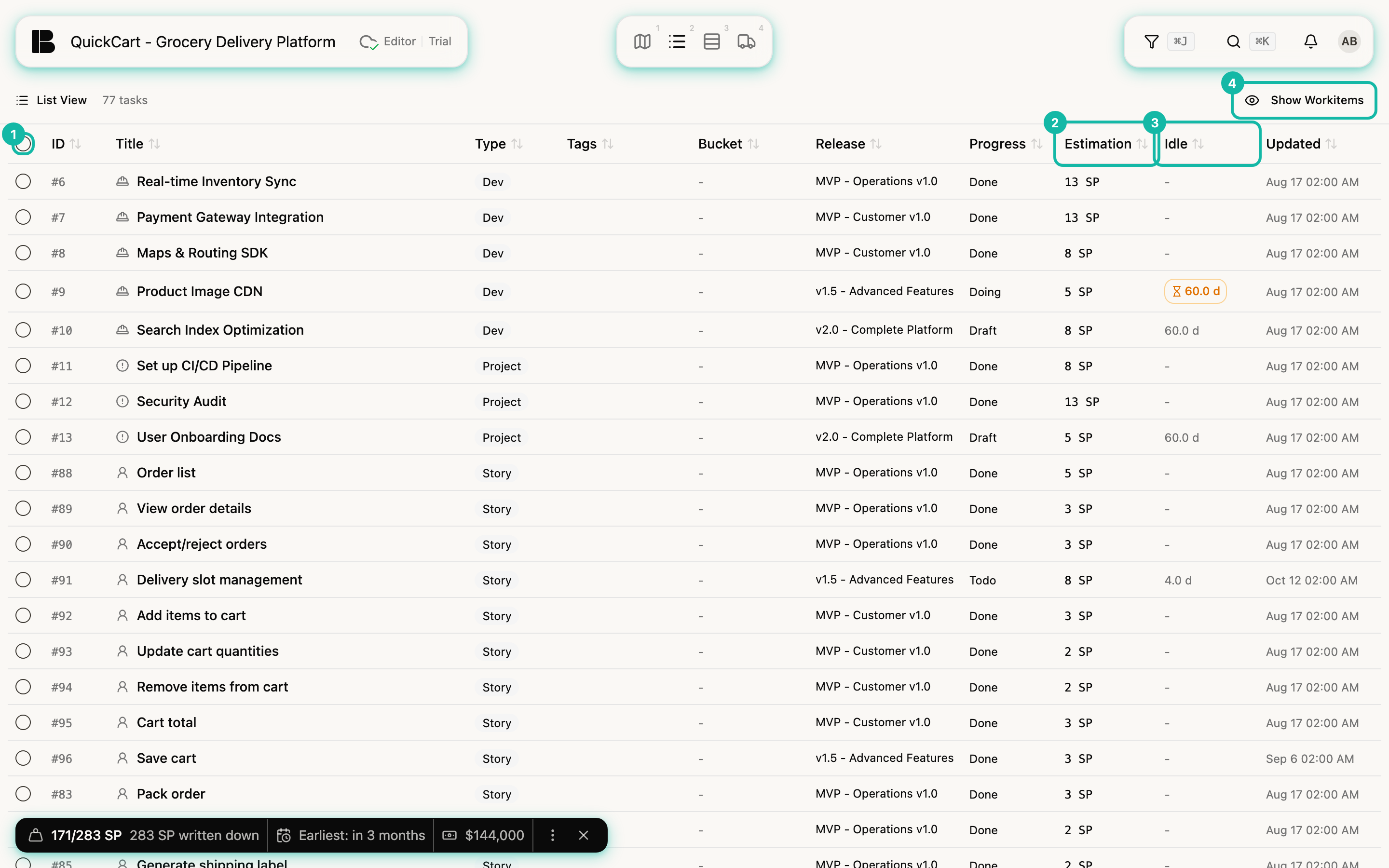
The columns are ID, Title, Type, Tags, Bucket, Release, Progress, Estimation, Idle and Updated. One row stands for one ticket. A click on the row opens its details (Ticket details). A card color, if set, appears as a thin colored bar next to the title.
- Sorting: A click on a column header sorts by it, and every column can be sorted. Tickets without a value, for example without a Bucket or without an estimate, come last in both directions, because the value is missing, not extreme. The Bucket sorts by the order of its rows in the Kanban, not alphabetically.
- Idle: The column shows how long a ticket's state has not changed. If the time allowed for the current phase is exceeded, the entry turns orange and shows an hourglass. Hover over it and the tooltip names the allowed duration. This is how you find tickets that got stuck in the Backlog.
- Workitems: Workitems are hidden at first. Show Workitems reveals them, Hide Workitems hides them again.
- Filter: The filter applies here too. Filtered tickets are hidden or dimmed, depending on the filter mode.
Changing several tickets at once
- Tick the rows on the left, in QuickCart for example Manage addresses, Favorites & Lists and Dietary preferences. The checkbox in the header selects all rows the filter shows.
- At the top, the count appears, for example 3 selected, and next to it a bar of actions. The X clears the selection.
- Pick the action. It applies to all selected tickets.
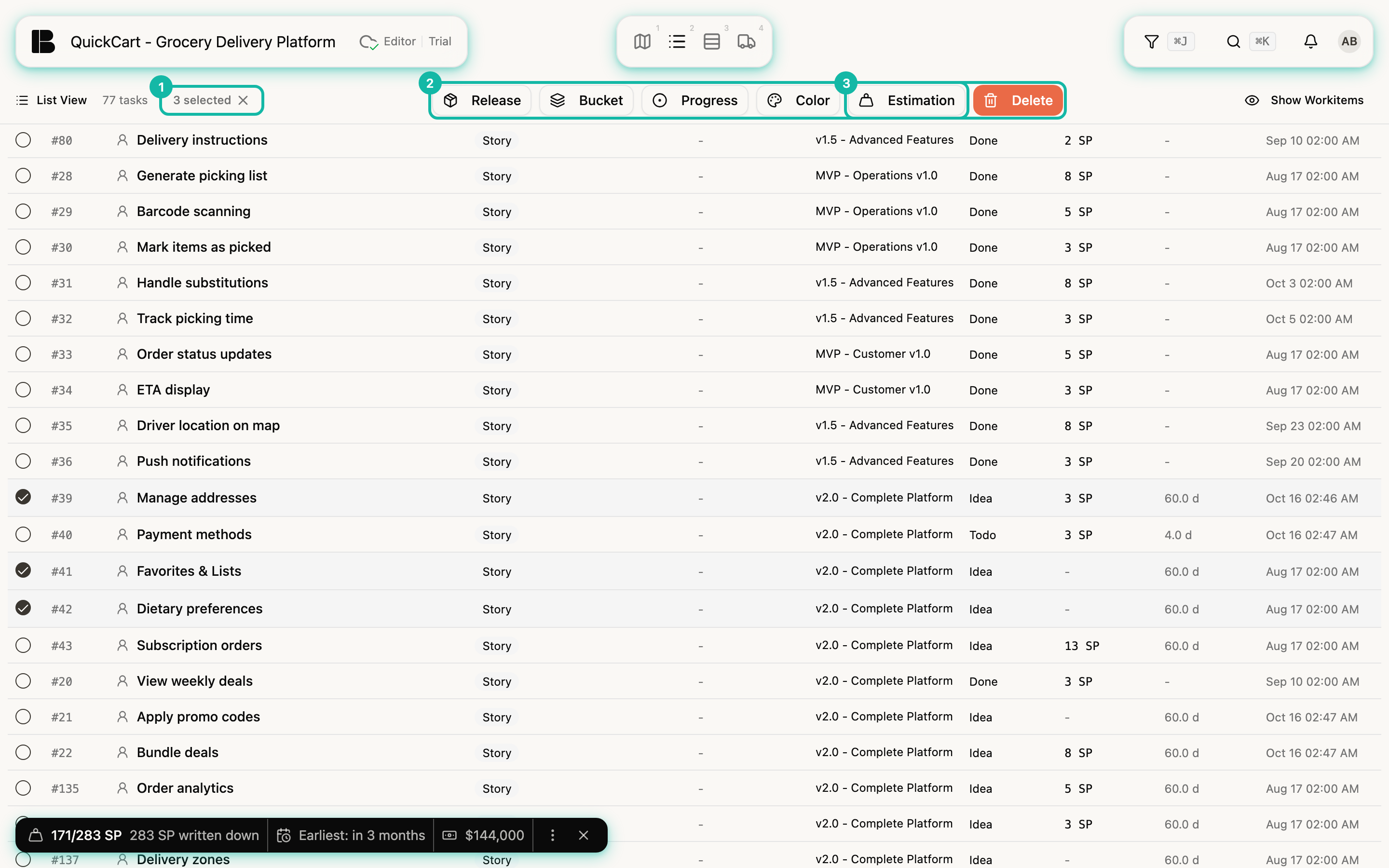
| Action | Effect |
|---|---|
| Release | Assigns a Release or removes it (No Release) |
| Bucket | Assigns a Bucket or removes it (No Bucket) |
| Progress | Sets the state |
| Close | Closes the selection. Only appears when all selected tickets are done |
| Tags | Adds tags (Add) or replaces them (Replace). Appears when the project has defined tags |
| Color | Sets a card color or removes it (No color) |
| Estimation | Sets Story Points or reverts them (Unset). The action skips Dev and Project Stories, which have no points |
| Delete | Deletes the selection including child tickets, after a confirmation. This cannot be undone |
The confirmation names the number of tickets. Deleted tickets and their child items are gone afterwards.
Card color as a marker
The color is a marker for one planning round. You use it to mark tickets that belong together across Epics, such as a Story with its Dev and Project Stories, without having to maintain a tag. It appears as a band along the top edge of the card in Kanban, Storyboard and Iteration Board. You set it for a single ticket in the Color row of the detail view and for several tickets at once in the List. The new color replaces the old one, No color clears it. You cannot filter by color, that is what tags are for.