Report and track bugs
In Betterplan, a bug is a workitem with the bug flag set. It hangs below the story in which the defect was found. That way the defect stays where it was discovered, and the team sees at a glance which stories still have unresolved defects.
Report a defect on a story
For stories there is a shortcut that creates a bug workitem in one step:
- Open the story in which the defect occurs, for example Temperature control.
- In the header actions, click the red bug icon. Its tooltip reads Mark as buggy.
- In the dialog, enter a Title, for example Cold chain display shows wrong temperature. The field is required: without a title, Report bug stays dimmed.
- Optionally, under Description, describe the steps to reproduce and the expected versus actual behaviour.
- Confirm with Report bug. Cancel closes the dialog without a change.
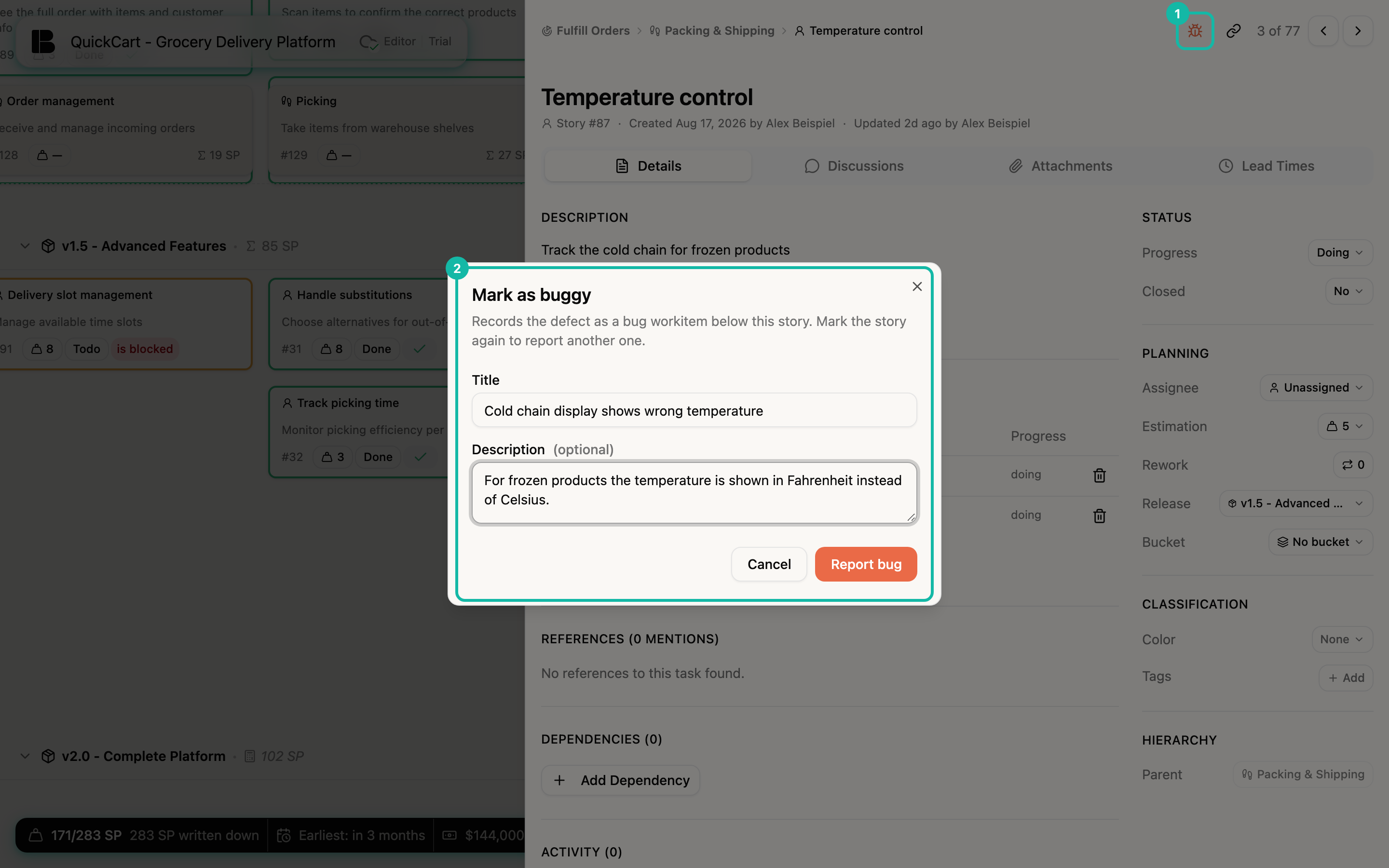
Betterplan now creates a new workitem with the bug flag set below the story. If you mark the story again, another one is created: a story can have several bugs at once.
Only stories have the bug icon. It is also missing if you only have read access, for example through a shared link.
Mark an existing workitem as a bug
If the workitem already exists, set the flag by hand: open the workitem (for example through the story's list of children) and switch on the Bug switch in the sidebar, group Classification. Switching it off takes the flag back.
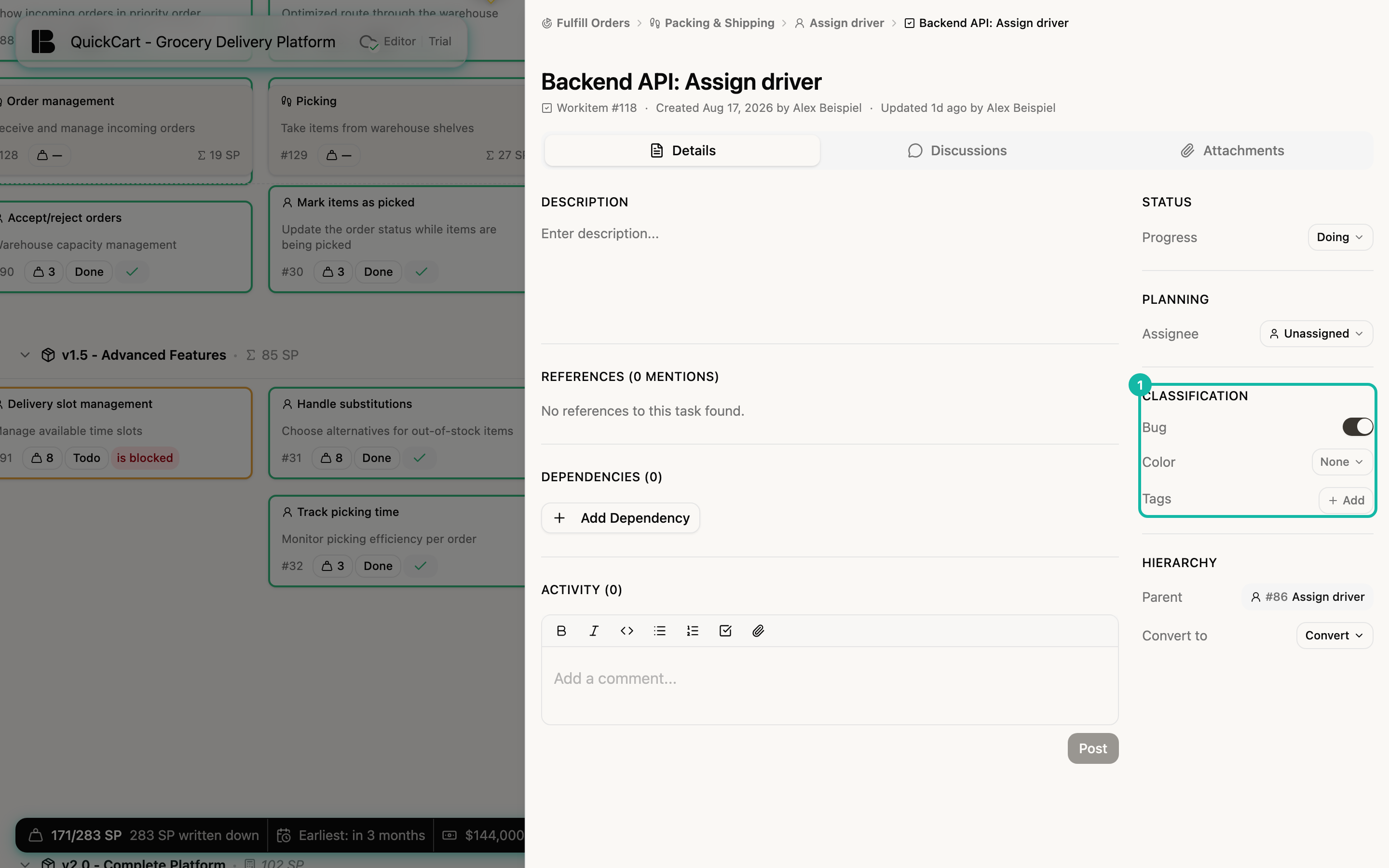
The bug rollup: defects on parent tickets
An open bug makes itself felt on every level above it. Betterplan passes an unresolved bug up to all tickets above it (story, epic and initiative). You recognize it in these places:
- in the list of children of the parent tickets as a Bug marker,
- in the header of the story's detail view as a Bug badge. The tooltip explains: Contains an unresolved fix in its workitems.
- on the card in the Storyboard as an orange Bug marker.
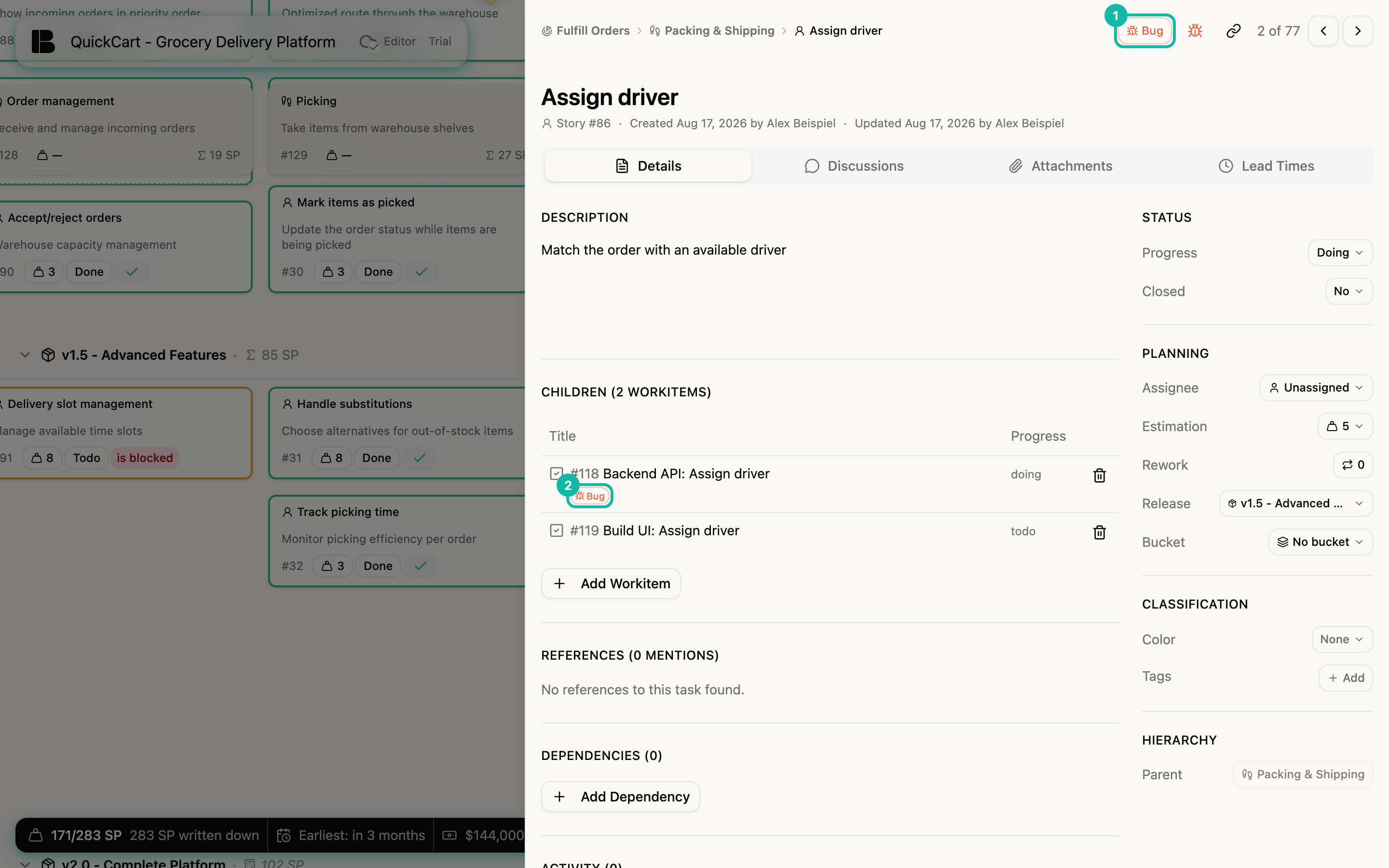
A bug counts as unresolved as long as its progress is not Done. As soon as the workitem is Done, the marker disappears on all levels above it by itself. You do not have to maintain anything.
A bug is an ordinary workitem: you can give it an Assignee and move it through Todo, Doing and Done like any other. Building blocks explains how workitems work.